
Go to Settings >> System >> Plugins.
Find AD FS Authentication v5.0.0 and click Manage.
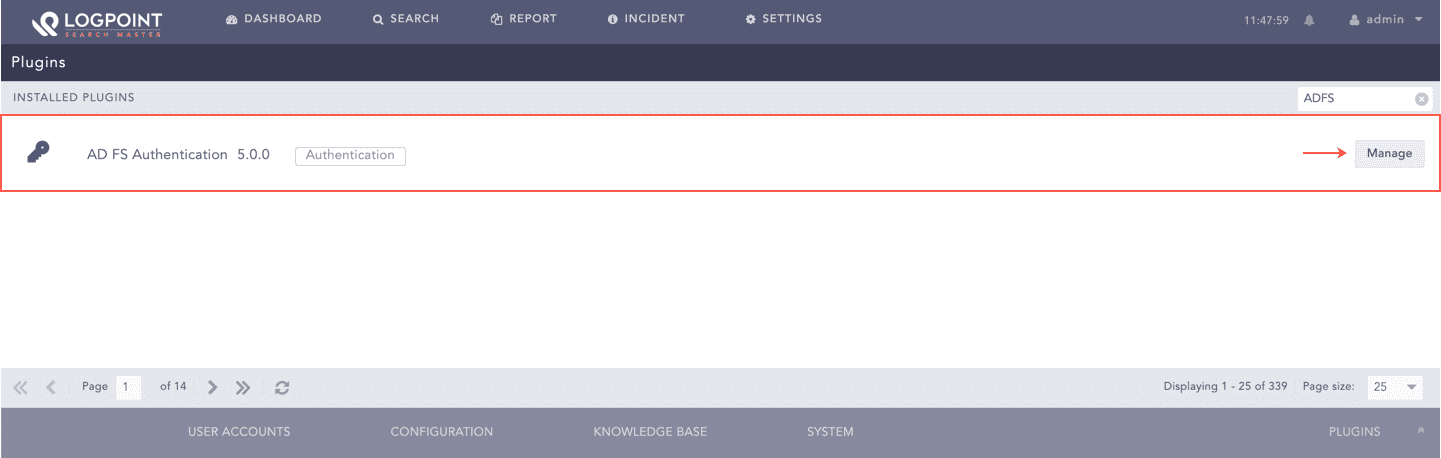
Manage ADFS Authentication
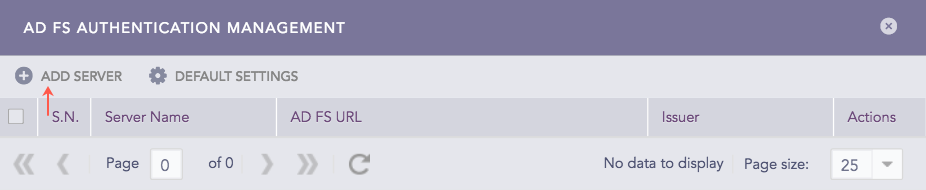
Add ADFS Server
Click Add Server.
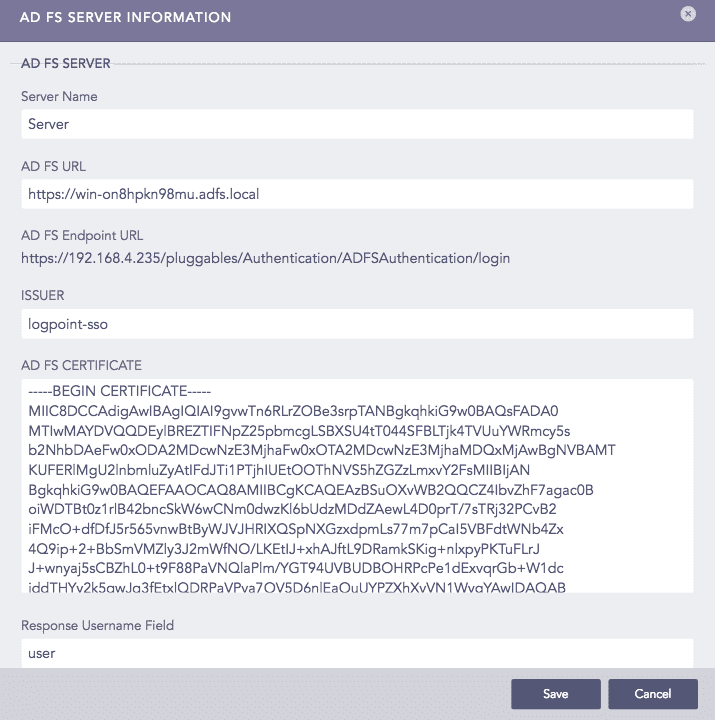
AD FS Server Information Panel
Enter a unique Server Name for the ADFS server.
Enter the AD FS URL of the ADFS server.
Note
The application provides the AD FS Endpoint URL automatically, which you must add while configuring LPSM in the ADFS server.
Enter an Issuer. It is an identifier used in the Relying Party Trust of the ADFS server.
Provide the AD FS Certificate. It is the signed certificate generated while setting up the ADFS server.
Enter the Response Username Field. It is used to extract username from the ADFS response.
Enter the Response Role Field. It is used to extract role from the ADFS response.
Note
The ADFS server predefines the Response Username Field and the Response Role Field.
Click Save.
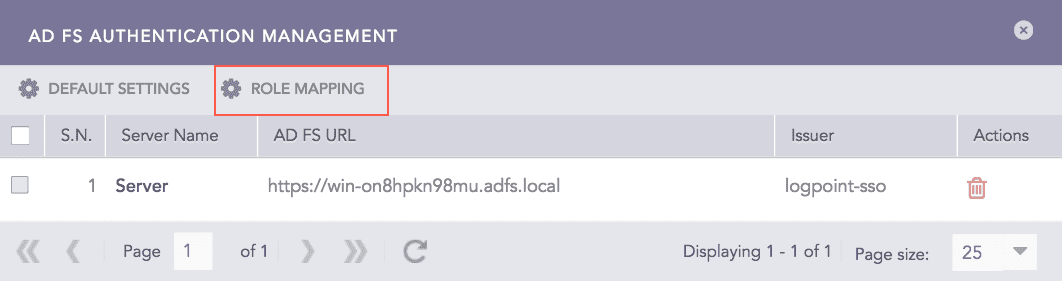
Add ADFS Server
Note
Once you configure the ADFS Authentication application, the panel removes the Add Server option and includes the Roles Mapping option.
Click Default Settings.
Select a LPSM user group as the Default Role. The application assigns the user group to the ADFS users whose role attribute has not been returned by the ADFS server.
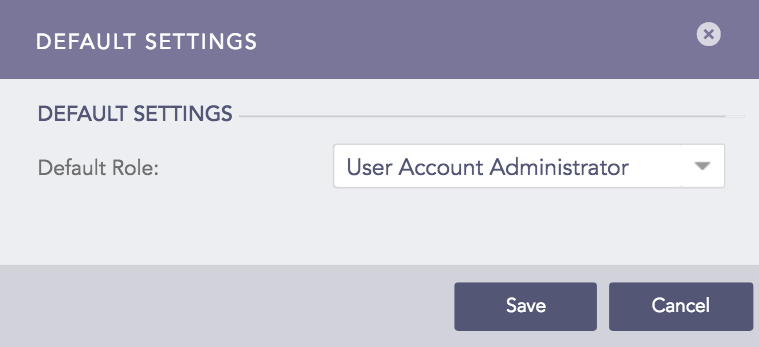
Default Settings Panel
Click Save.
You can map an ADFS role to a LPSM user group to define access permission on LPSM.
Follow these steps to map an ADFS role to a LogPoint user group:
Click Roles Mapping.
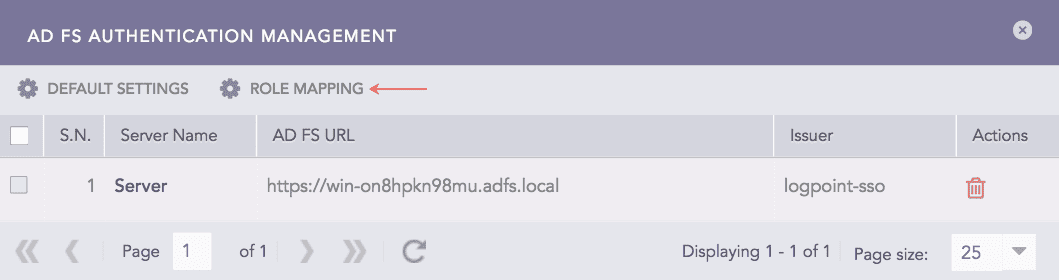
Adding Role Mapping
Enter an AD FS Role.
Select an LPSM User Group in the LogPoint User Group field to assign to the ADFS role mentioned above.
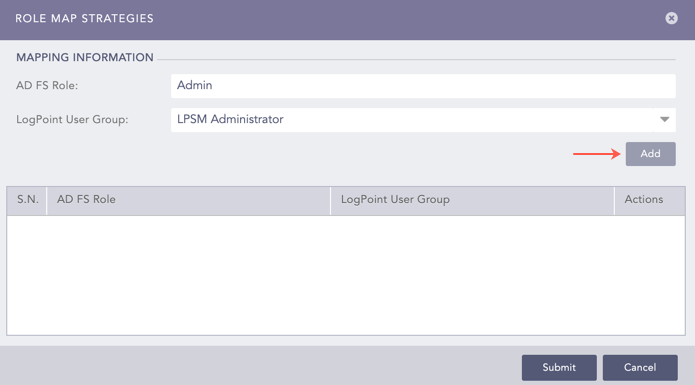
ADFS Role Mapping
Click Add. A table lists all the mapped ADFS roles and LPSM user groups. You can either edit or delete the added role mappings from the table.
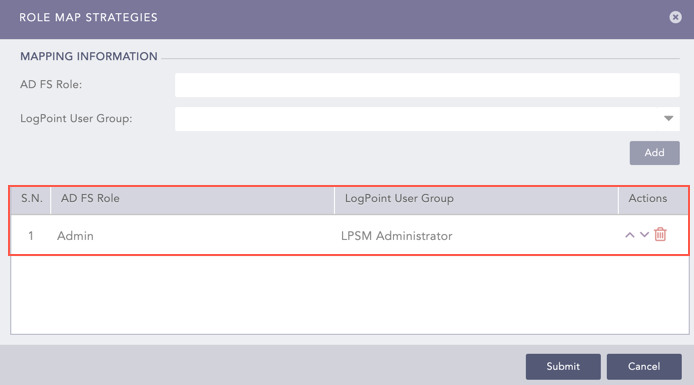
ADFS Role Mapping Added
Note
Mapping roles in the ADFS Authentication application is mandatory.
The ADFS role to LPSM user group mapping is one-to-one, which means you can map an ADFS role to a single LPSM user group only.